










From Shelf to Screen: Simple Steps to Take Your Products Online
For many brands and manufacturers, “going online” feels like a huge, complex project. New platforms, new rules, new formats. But underneath all of that, the process is actually simple and repeatable: show your product clearly, describe it clearly, and make it easy to buy.
This article breaks the journey into practical steps anyone can follow – whether you are starting with 10 products or scaling to 10,000.
Why “going online” is a workflow, not a one-time upload
Many sellers treat ecommerce like a checkbox: open an account, upload a few images, and wait for orders. In reality, online selling behaves like a living system. Products must be:
-
Discovered through search and recommendations
-
Understood through images and content
-
Trusted through reviews and clear information
Once you see this as a workflow, you can improve each part – photos, content, pricing, and listings – without rebuilding everything from zero.
Step 1: Decide what to take online first
You don’t need your entire catalog online on day one. Start with a focused set:
-
Bestsellers or high-demand products
-
High-margin items that justify the effort
-
Products that represent your brand’s quality best
Put this into a simple sheet (Excel or Google Sheets):
-
Product name and internal code/SKU
-
Category (for example: snacks, textiles, home décor, beauty, tools)
-
MRP, selling price and variants
-
Key attributes – size, weight, colour, material, ingredients, etc.
-
Target platforms – marketplaces and/or your own website
This “pre-catalog” becomes the backbone for your photoshoot, content creation and listing.
Step 2: Capture clear, consistent product photos
Your primary image is the first thing a buyer sees. If it looks dull, dark or confusing, they scroll past. A simple, consistent photoshoot fixes most of this.
-
Use stable lighting and avoid harsh shadows.
-
Keep the camera steady – tripod or fixed mount is ideal.
-
Use the same angle and framing across a batch of products.
-
Capture front, back, sides and important details (labels, ports, textures).
-
Optionally capture 360° sequences for interactive or spin views.
You don’t need cinema-grade gear; what matters is consistency and clarity.
Step 3: Create WBG images and digital assets from the shoot
After shooting, the raw images are processed into assets that work well on ecommerce platforms and websites:
-
WBG (white background) images for use as primary product images on marketplaces.
-
Gallery images showing multiple angles and close-ups.
-
Optional 360°/interactive files for websites or apps that support richer views.
From one photoshoot, you should ideally derive everything you need – clean thumbnails, detail shots and any interactive assets your channels support.
Step 4: Write clear, structured product content
Images attract clicks. Content closes the sale.
Good product content usually includes:
-
Title: what the product is, key attribute and who it is for.
-
Bullet points: benefits, usage, materials, unique features.
-
Description: slightly longer explanation with story, specs and care instructions.
-
Attributes: size, weight, colour, ingredients, pack size, quantity, etc.
-
Pricing: MRP, selling price, discounts and minimum order quantity (for B2B).
Keep language simple and honest. Avoid exaggerations; focus on clarity and accuracy.
Step 5: List your products on marketplaces and your own store
Once images and content are ready, it’s time to go live. Different platforms have different templates, but they all ask for the same core information: title, images, description, price, stock and policies.
A typical rollout sequence looks like this:
-
Start with one or two major marketplaces.
-
Add your own website (Shopify, WooCommerce, or custom store).
-
Expand later to more marketplaces, B2B portals or international channels.
If your catalog is maintained in a single master sheet or system, it becomes much easier to feed multiple platforms from the same source of truth.
Step 6: Improve continuously using data
Once your products are live, platforms start giving you free feedback in the form of data:
-
Low clicks → improve or change your primary image or title.
-
Low conversions → clarify content, adjust pricing or shipping.
-
High returns → review size charts, specs or expectations set in the description.
Small, regular adjustments often perform better than rare, large overhauls.
One simple pipeline, many channels
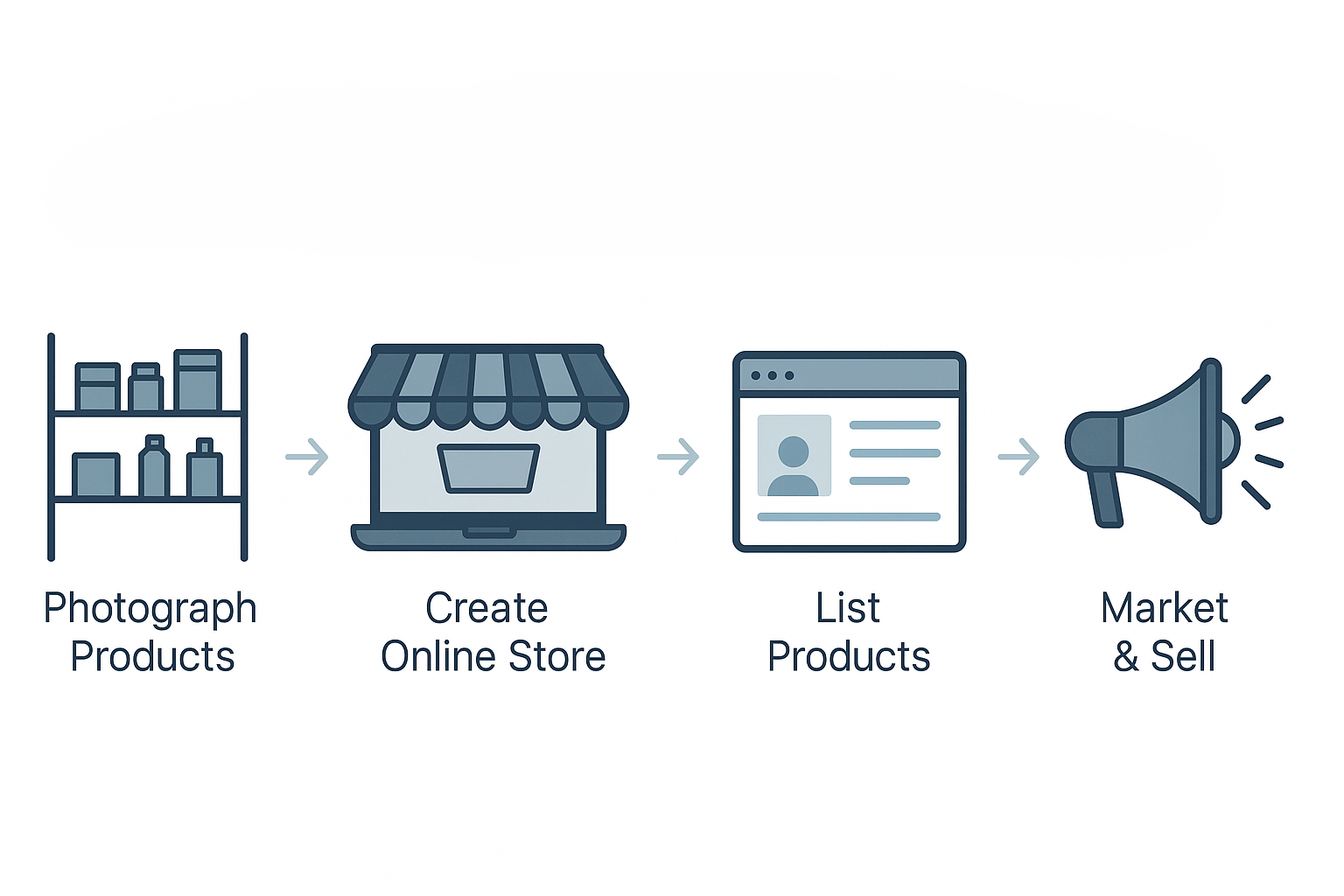
Taking products online isn’t about mastering every platform at once. It’s about building one strong pipeline and reusing it everywhere: Photoshoot → WBG & assets → Content → Listing → Optimisation.
Once this workflow is in place, adding new SKUs, entering new marketplaces or expanding to new regions becomes much faster and more predictable. Your products are already ready – this is just the path that takes them from shelf to screen.
Leave a Comment
Your email address will not be published. Required fields are marked *